Caregiver's User Guide
Task Page Guide
1. Task Page Overview
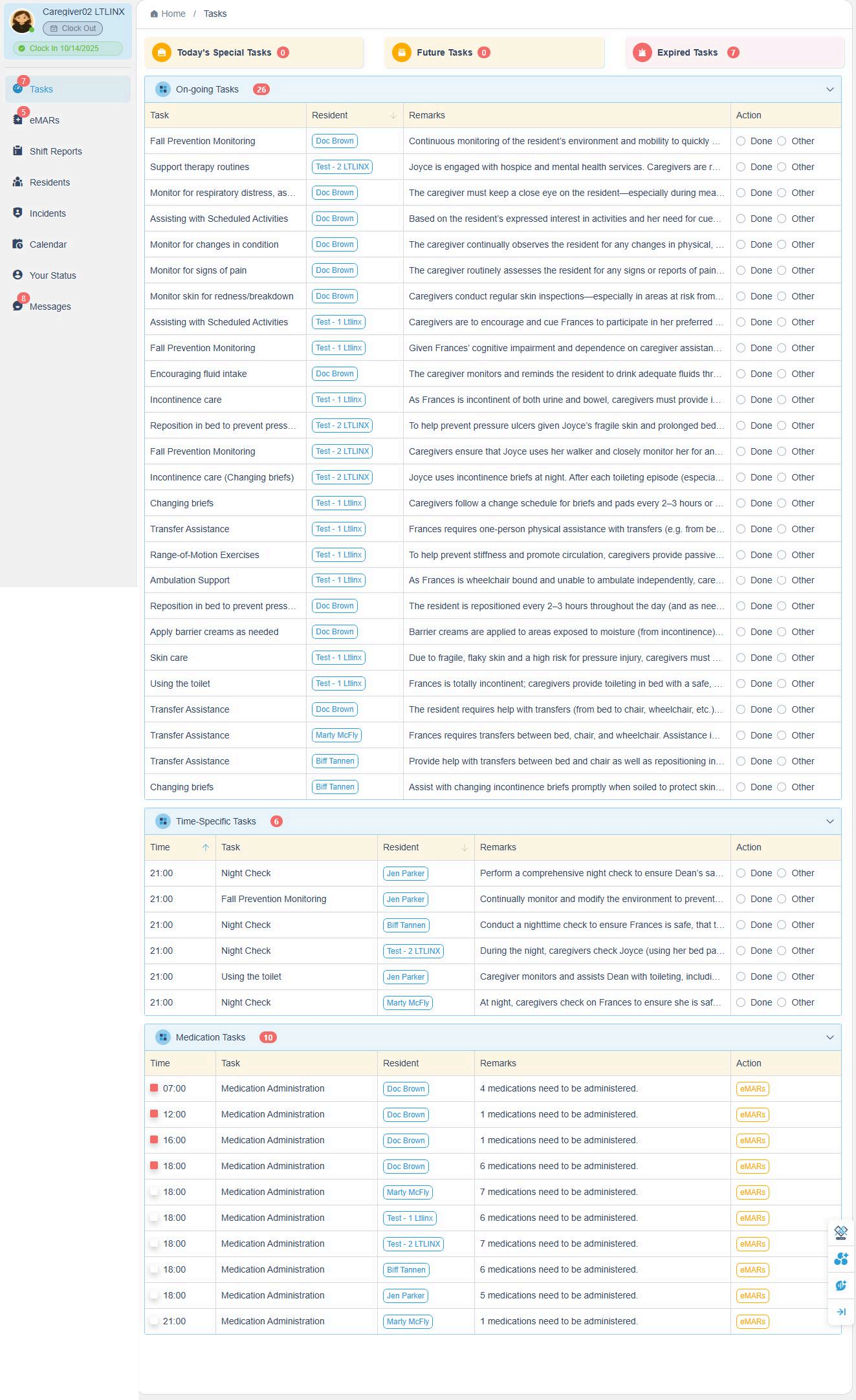
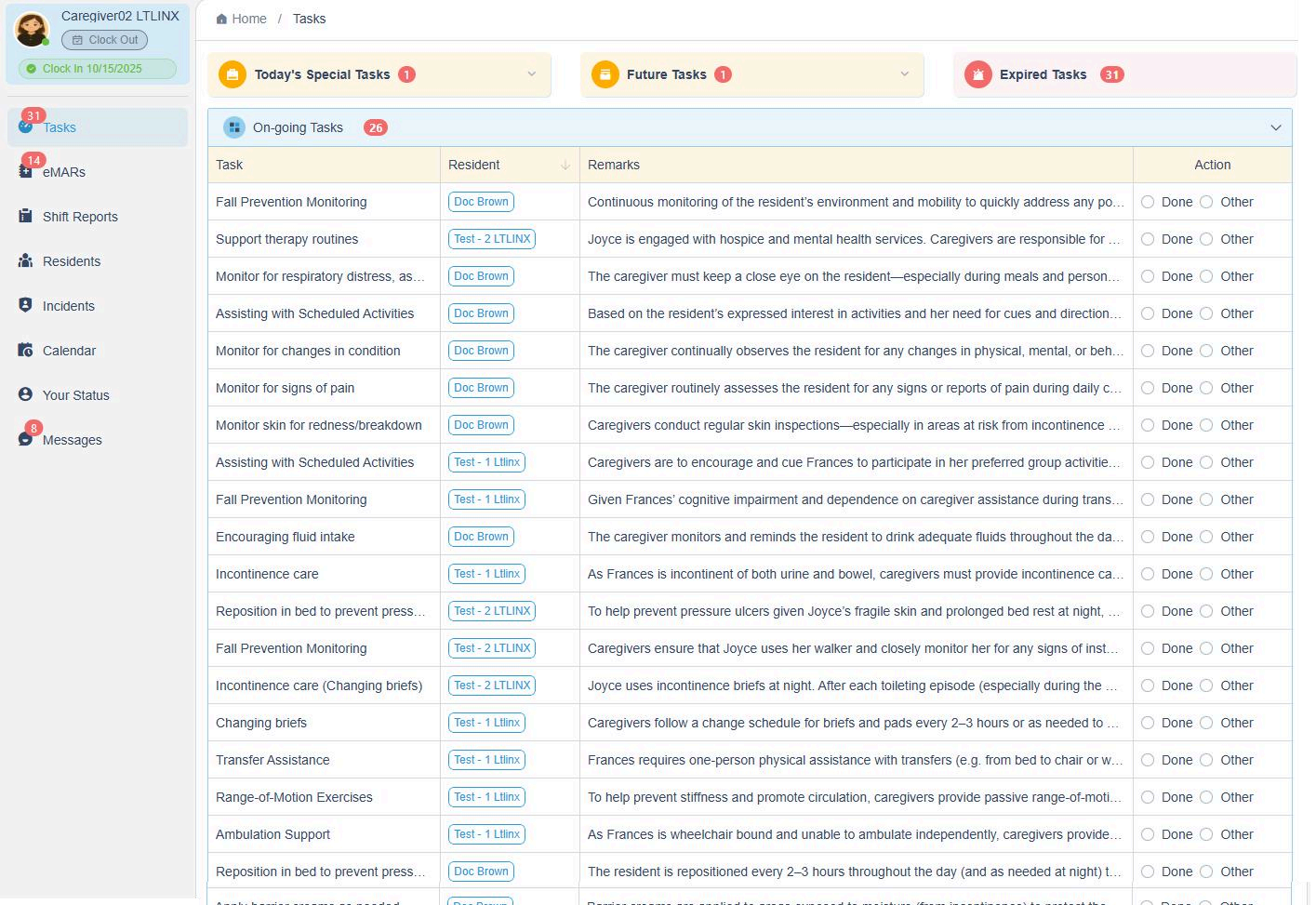
The Task Page is divided into six sections, each representing a different type of task:
- Today's Special Tasks – Tasks scheduled for today from the resident's calendar.
- Future Tasks – Tasks scheduled for the next 7 days from the resident's calendar.
- On-going Tasks – Tasks from the Care Plan with the frequency set to "As Needed." These do not have specific due times.
- Time-Specific Tasks – Tasks from the Care Plan that include both a specific time and a frequency.
- Medication Tasks – All medication administration tasks.
- Expired Tasks – Tasks that are overdue and not yet completed.
💡 Each task category helps caregivers stay organized and ensures all required actions are recorded and monitored efficiently.
2. Task Recording Rules
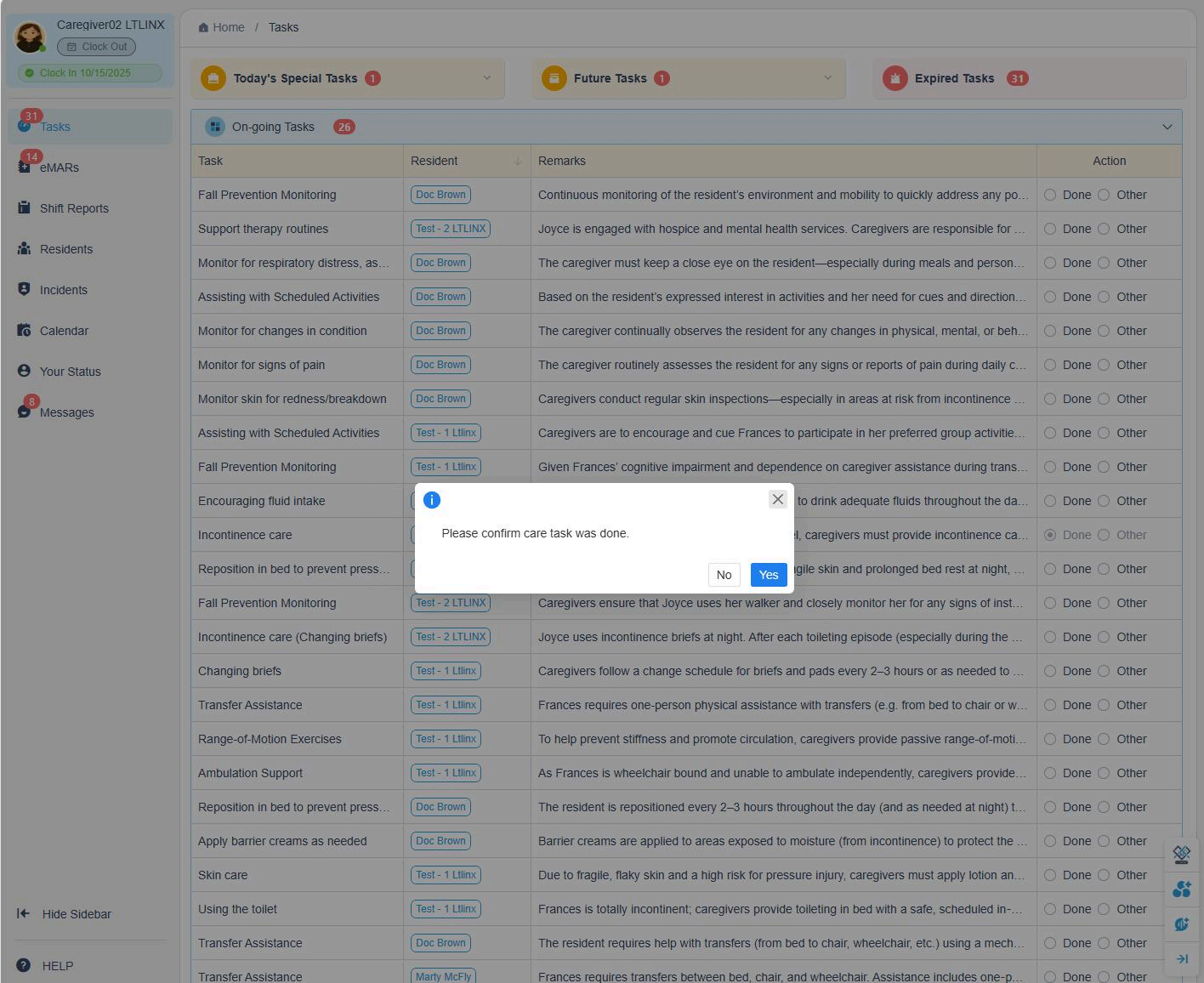
- On-going tasks do not expire and can be recorded multiple times per day.
- Time-specific tasks can be marked as Done within a 2-hour window (1 hour before and 1 hour after the scheduled time).
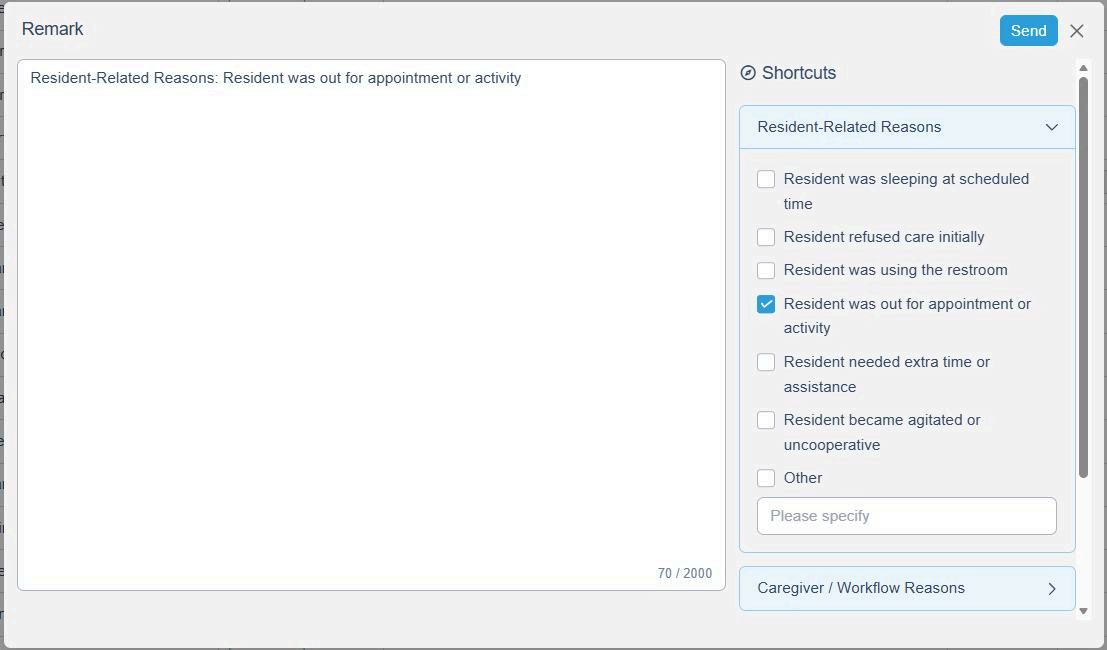
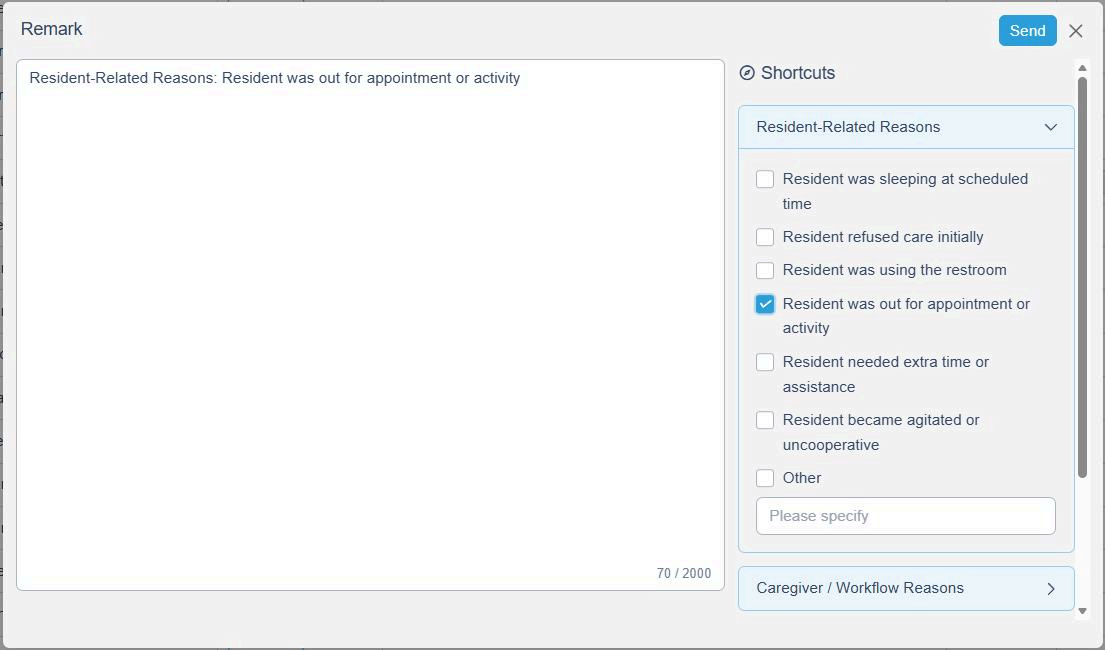
- If a task is recorded outside the 2-hour window, the system will require you to enter a remark before saving.
Example: A staff member marks "Skin Care" done at 9:15 when it was scheduled for 7:00 — the system will prompt for an explanation.
3. Medication Tasks
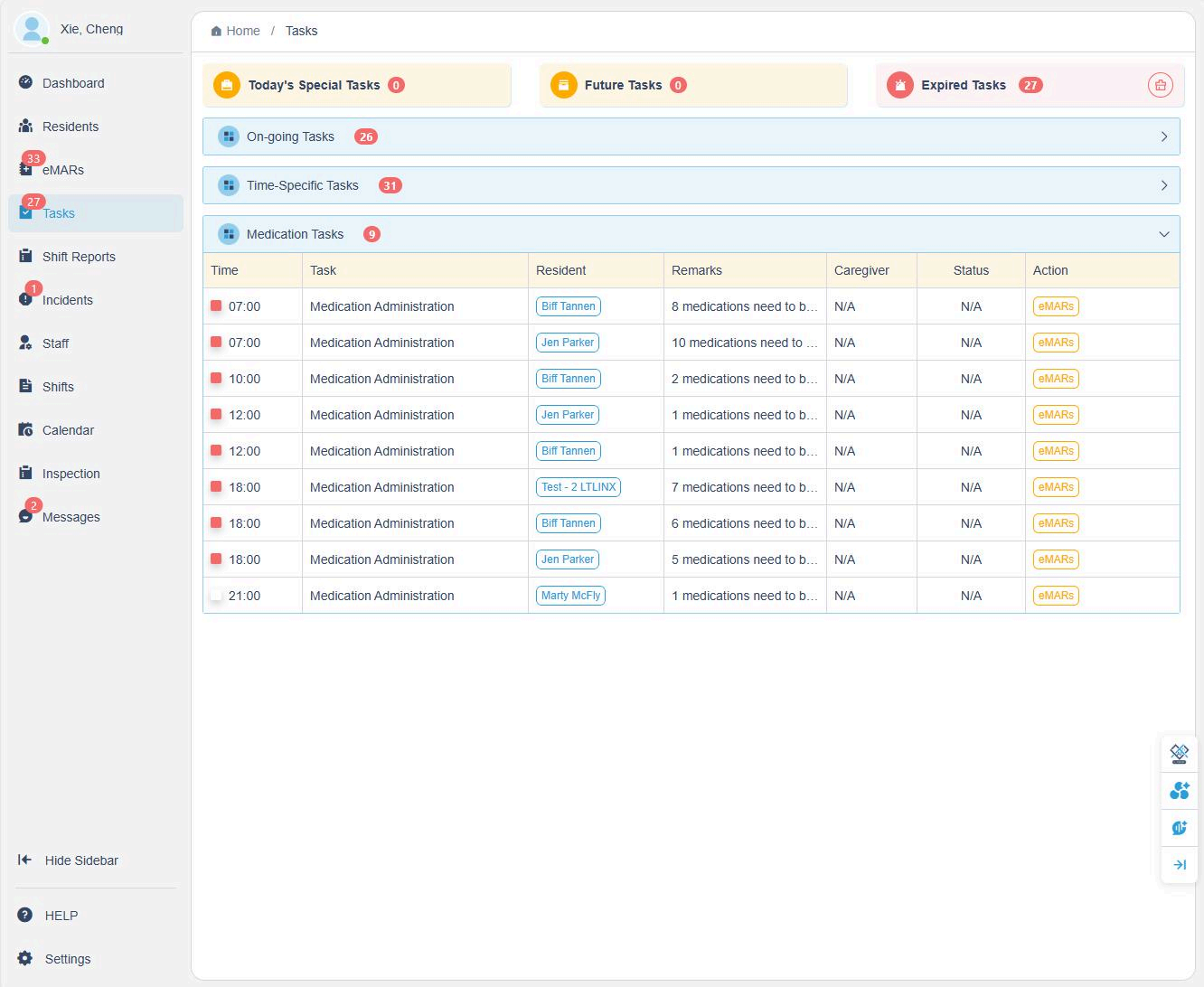
- All medication-related tasks are recorded under the eMAR module.
- On the Task Page, only the total number of medications assigned to each resident will appear.
- For detailed medication entries, click into the eMARs section.
✅ This separation ensures medication records remain compliant and easily traceable while keeping the Task Page focused on daily care activities.
4. Managing Expired Tasks
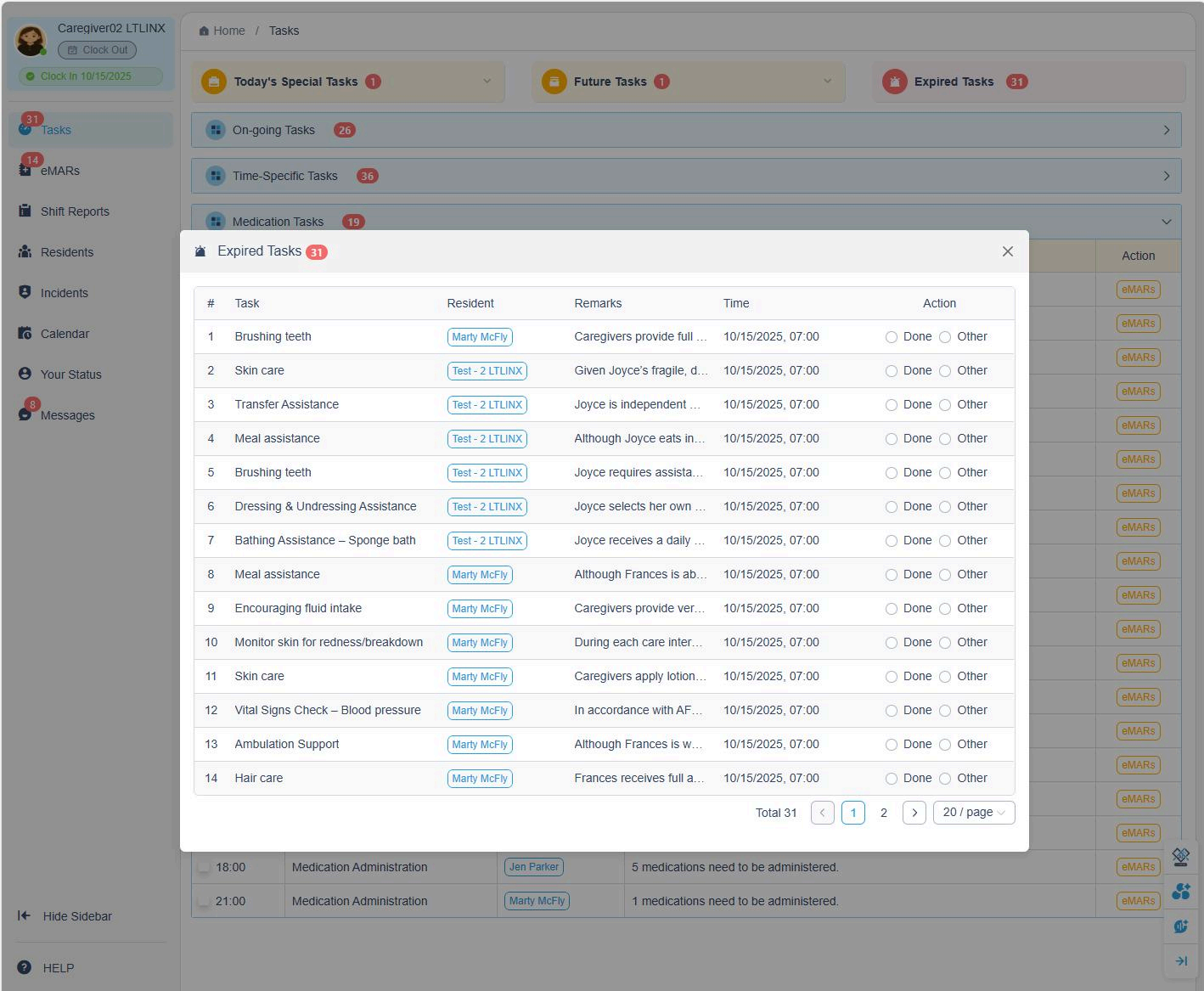
- Click Expired Tasks tab. A list of all expired tasks will appear.
- If a task is recorded outside the 2-hour window, the system will require you to enter a remark before saving.