Resident Page User Guide
1. Accessing the Resident Page
To access the Resident Page:
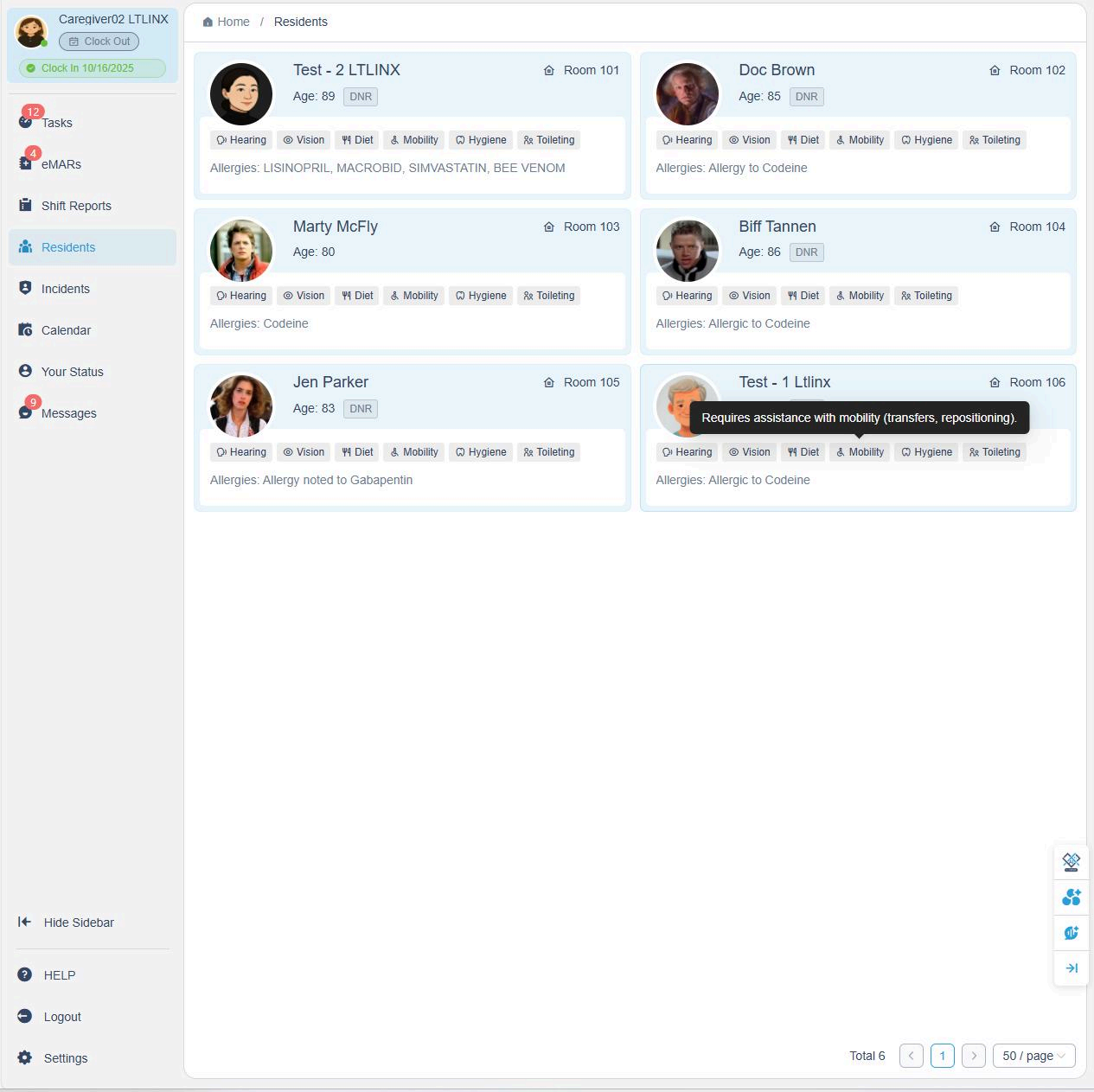
- Click Residents on the left sidebar.
- You will see all current residents listed with their photos, room numbers, and key health indicators.
- Each resident's card displays status icons (e.g., hearing, vision, diet, mobility, hygiene, toileting). When you hover the mouse over a status icon, a tooltip will display additional details.
- To open a resident's detailed profile, click on their name tag.
2. Viewing Resident Details
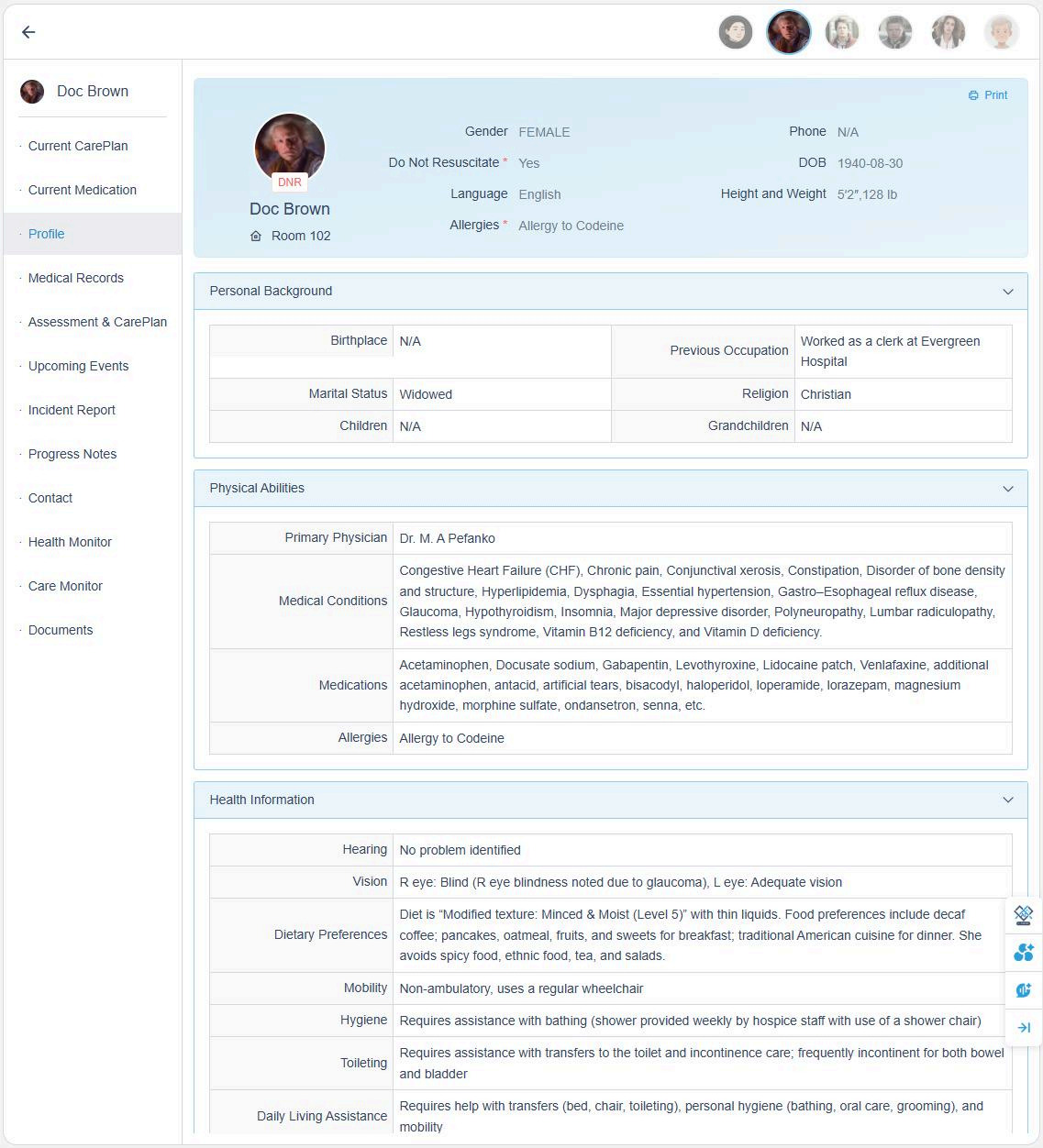
Once inside the Resident Page, use the menu on the left to navigate between different sections.
💡 These sections provide the most up-to-date information on the resident's care plan, medications, and medical history.
3. Managing Appointments and Calendar
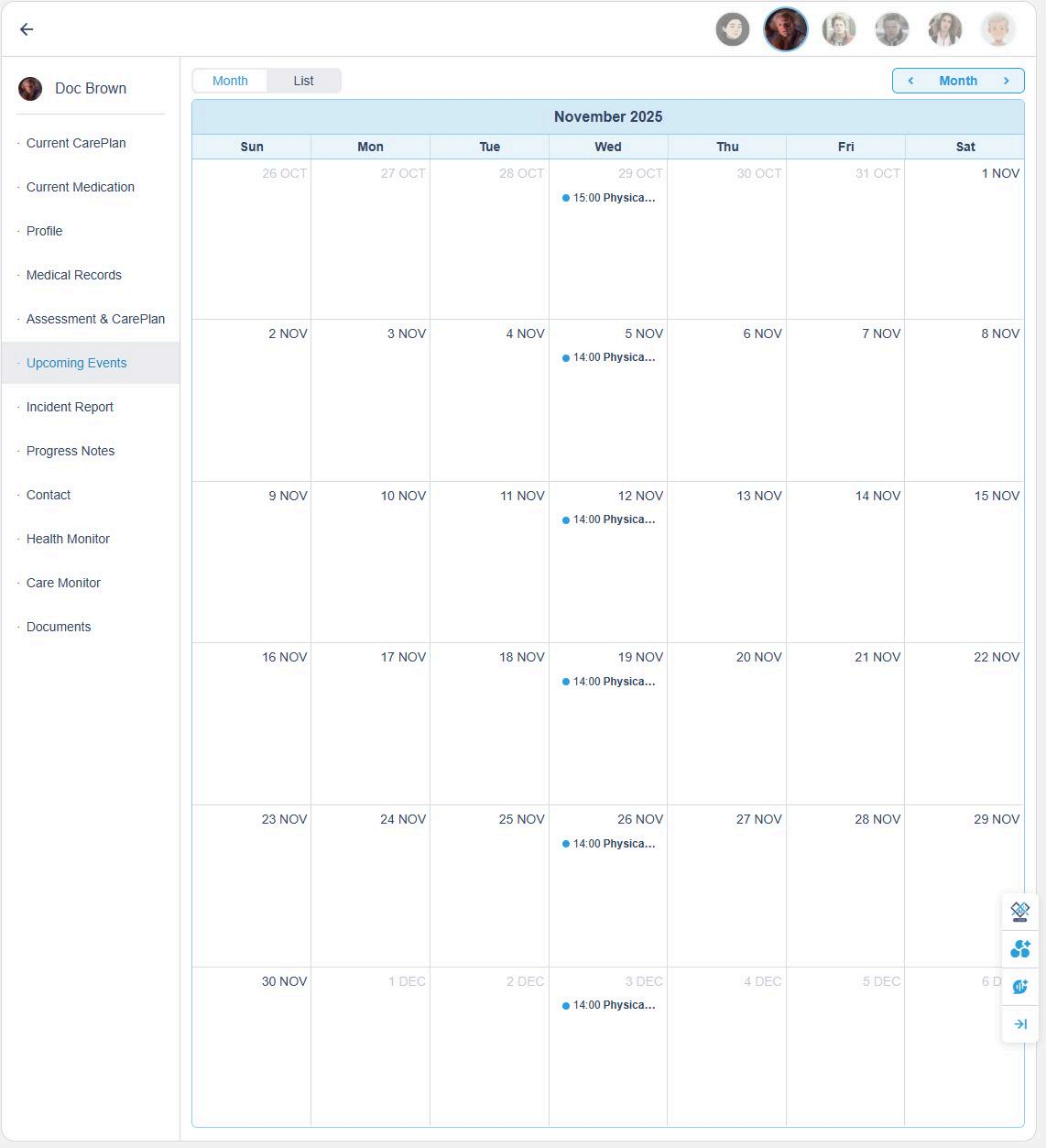
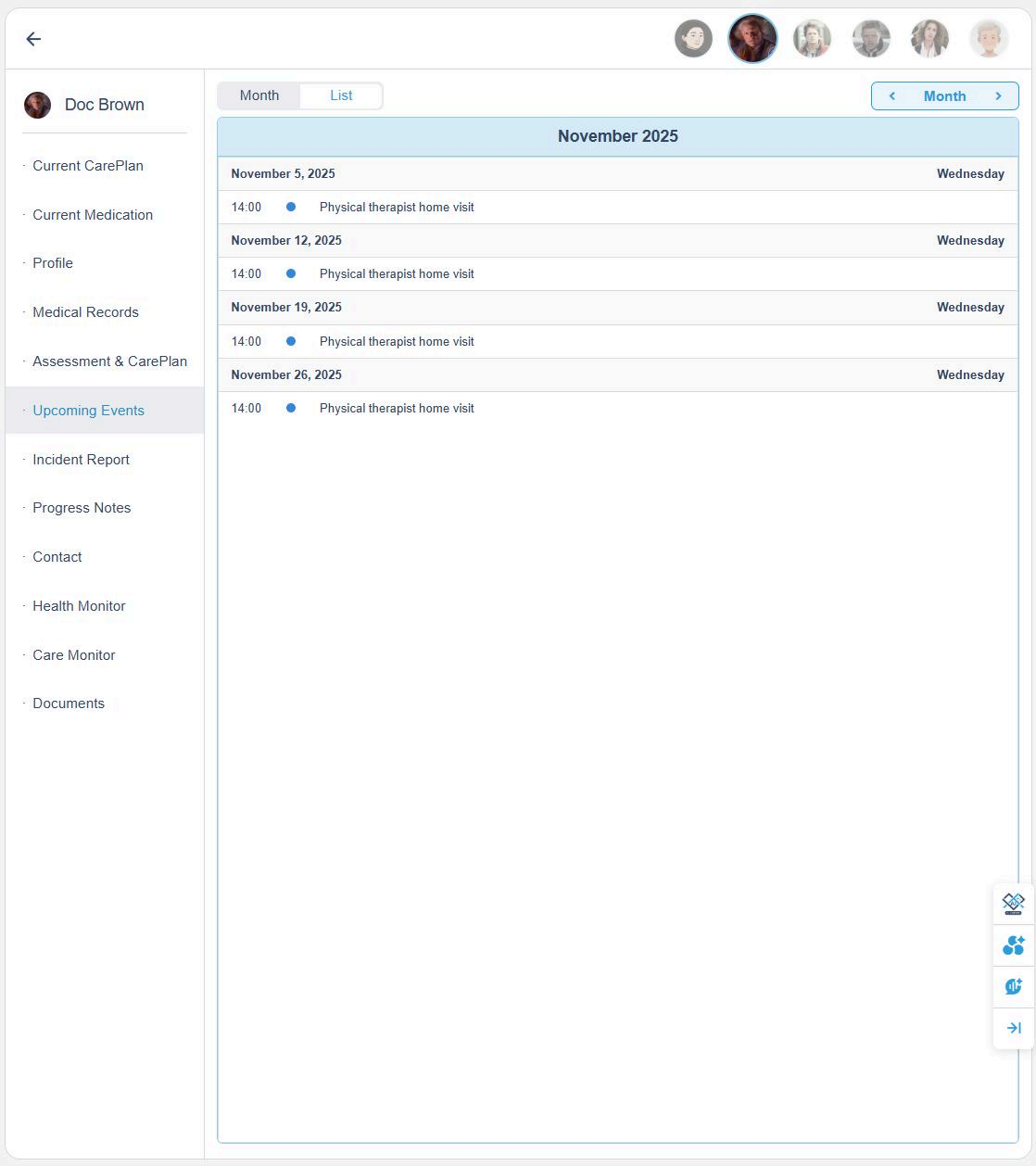
You can add resident appointments directly to their personal calendar.
These appointments automatically sync to:
- The Tasks page, and
- The Admin's calendar
To add or edit an appointment:
- Click a date on the calendar.
- Enter the title, details, and time.
- Choose whether it repeats (e.g., daily, weekly, bi-weekly).
- Click Submit to save.

4. Health Monitor
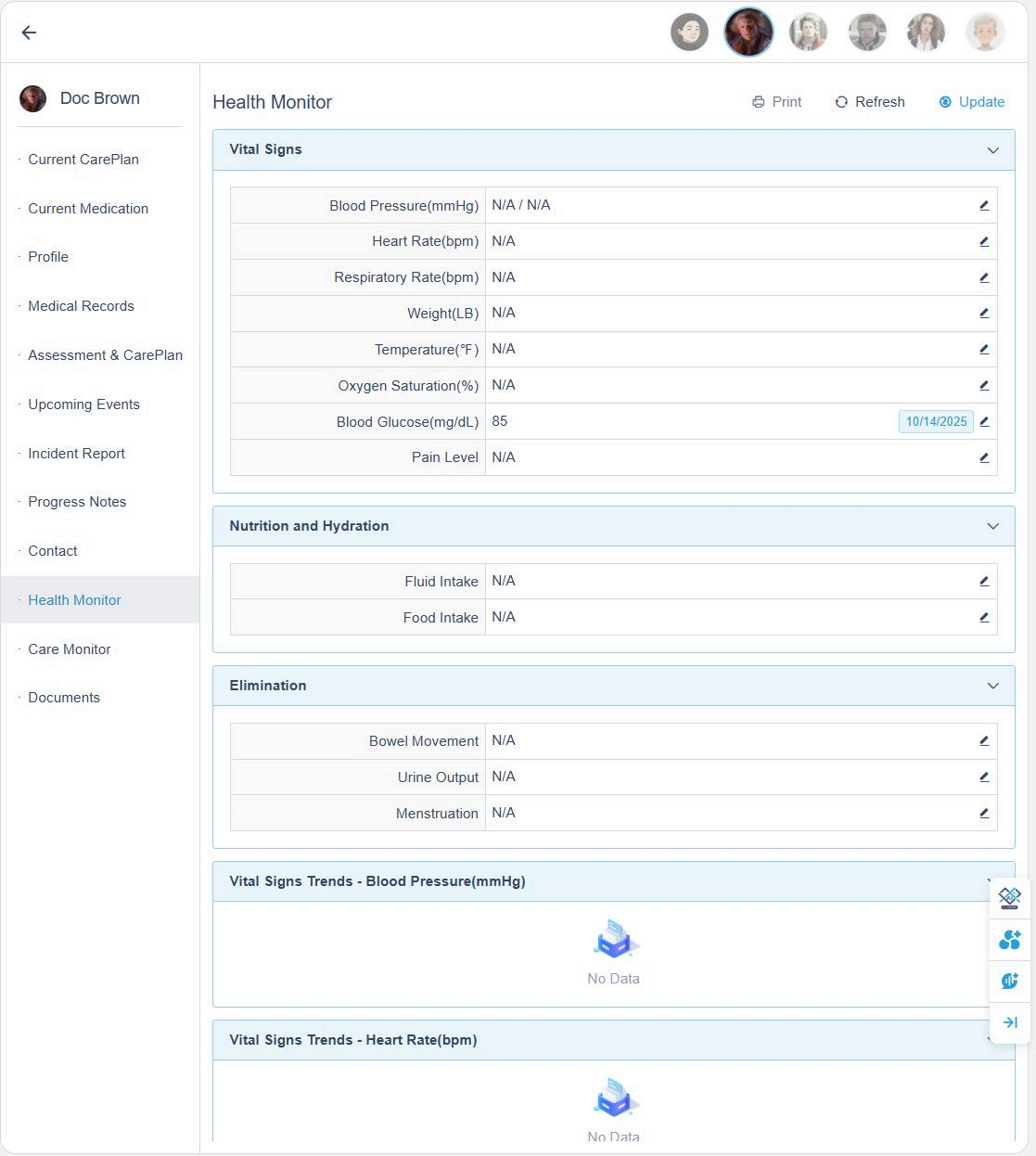
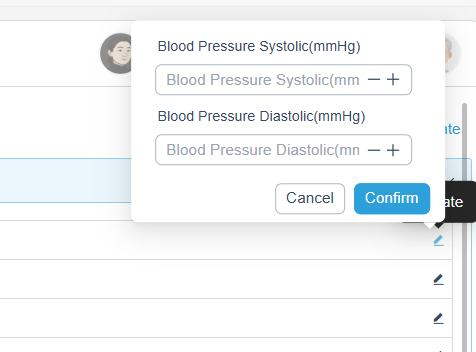
The Health Monitor page allows you to record and track vital signs.
- Click the Edit button in the top-right corner to log or update any vital sign data.
This page automatically displays the latest recorded values and the trend charts for key vitals such as:
- Blood pressure
- Temperature
- Heart rate
- Oxygen saturation
- Blood glucose
- Pain level
💡 You can also access the Health Monitor directly from the eMARs page.

5. Care Monitor
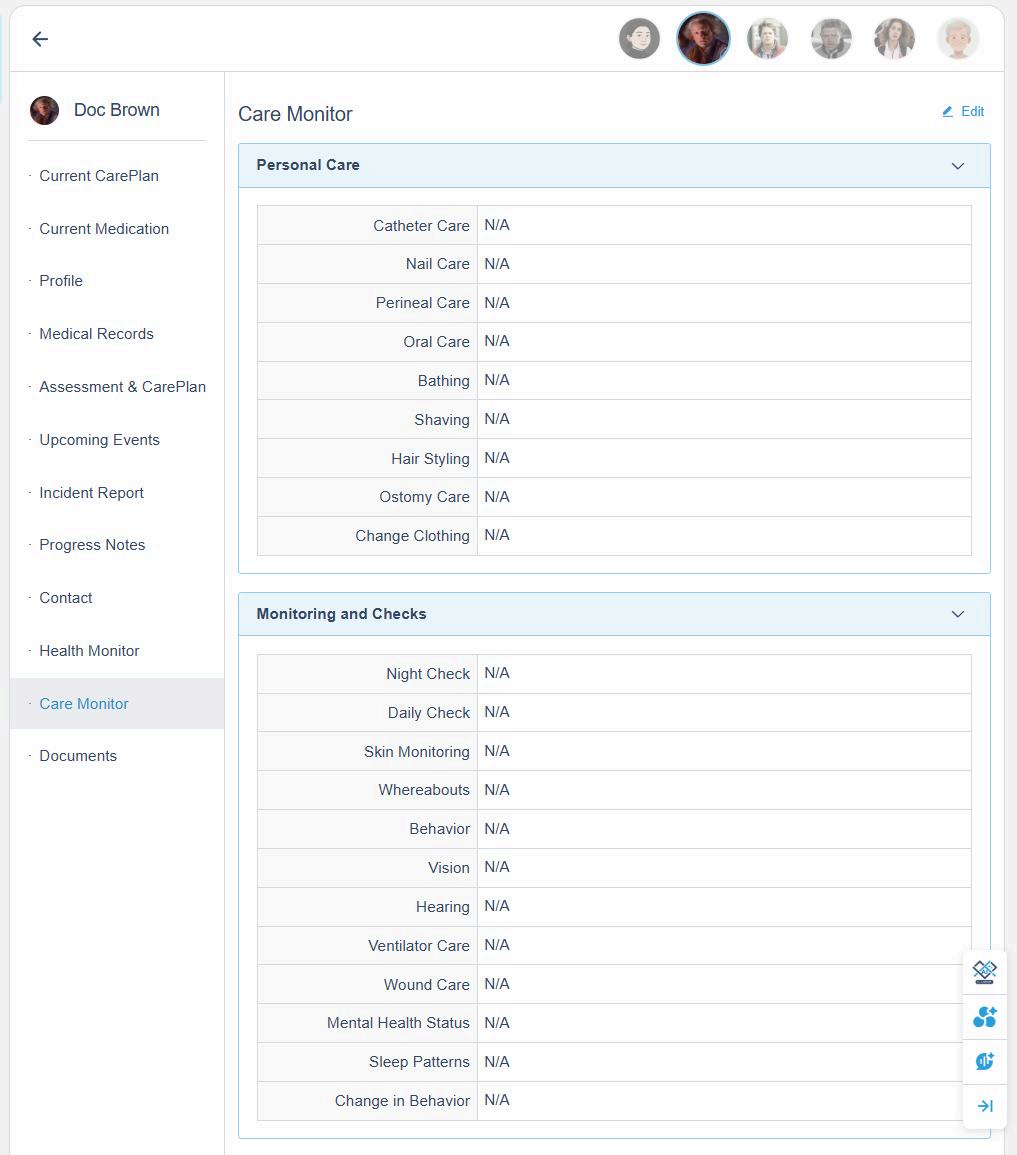
The Care Monitor section tracks all personal care and monitoring activities.
Click the Edit button in the top-right corner to log care actions or observations.
Examples of Care Monitor Data:
- Personal Care: Catheter care, nail care, perineal care, bathing, shaving, changing clothes, etc.
- Monitoring and Checks: Night checks, behavior, skin monitoring, vision, hearing, wound care, sleep patterns, and mental health status.
6. Progress Notes
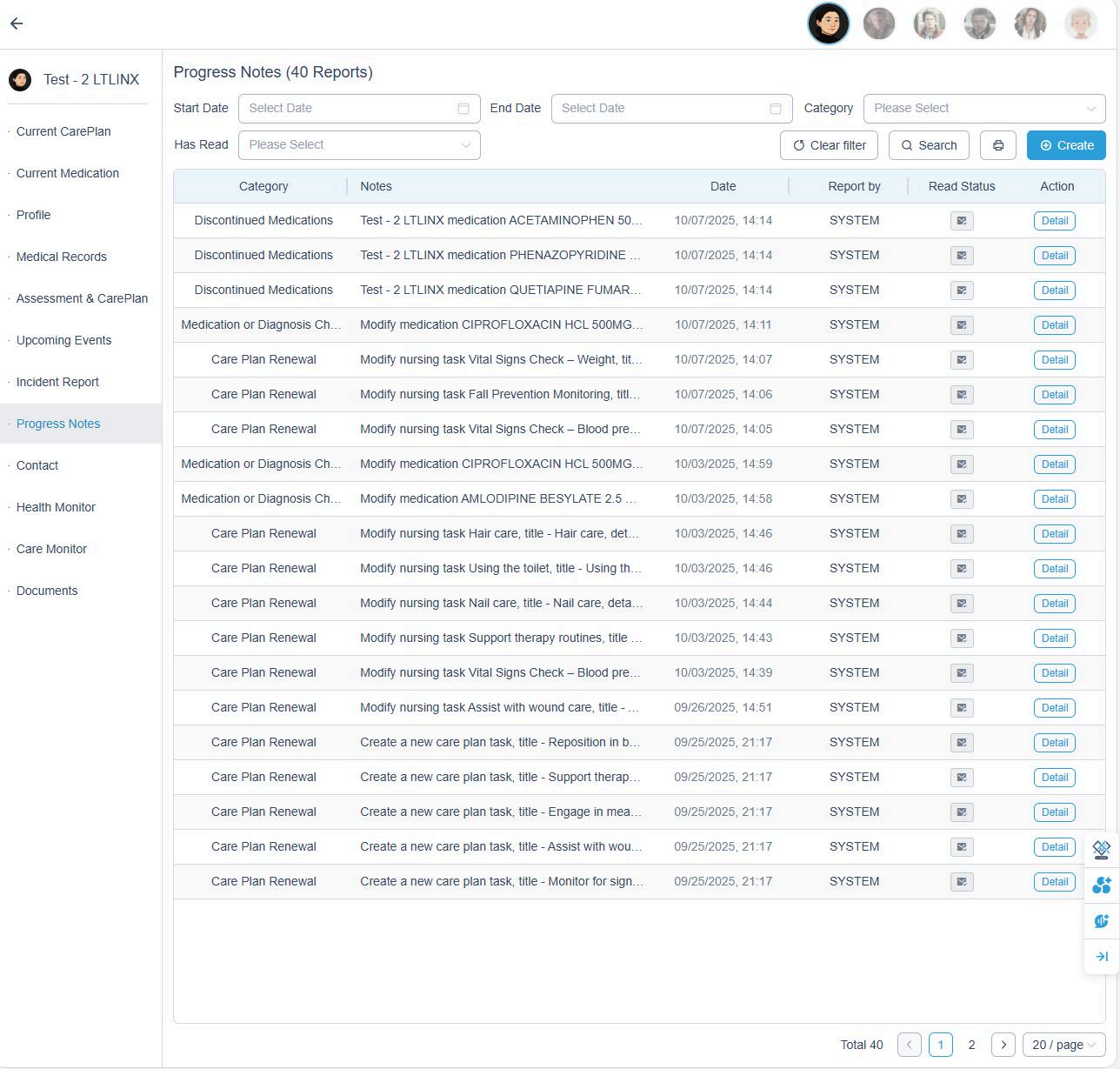
Progress notes are automatically recorded by the system.
To manually add a note:
- Go to the Progress Notes page.
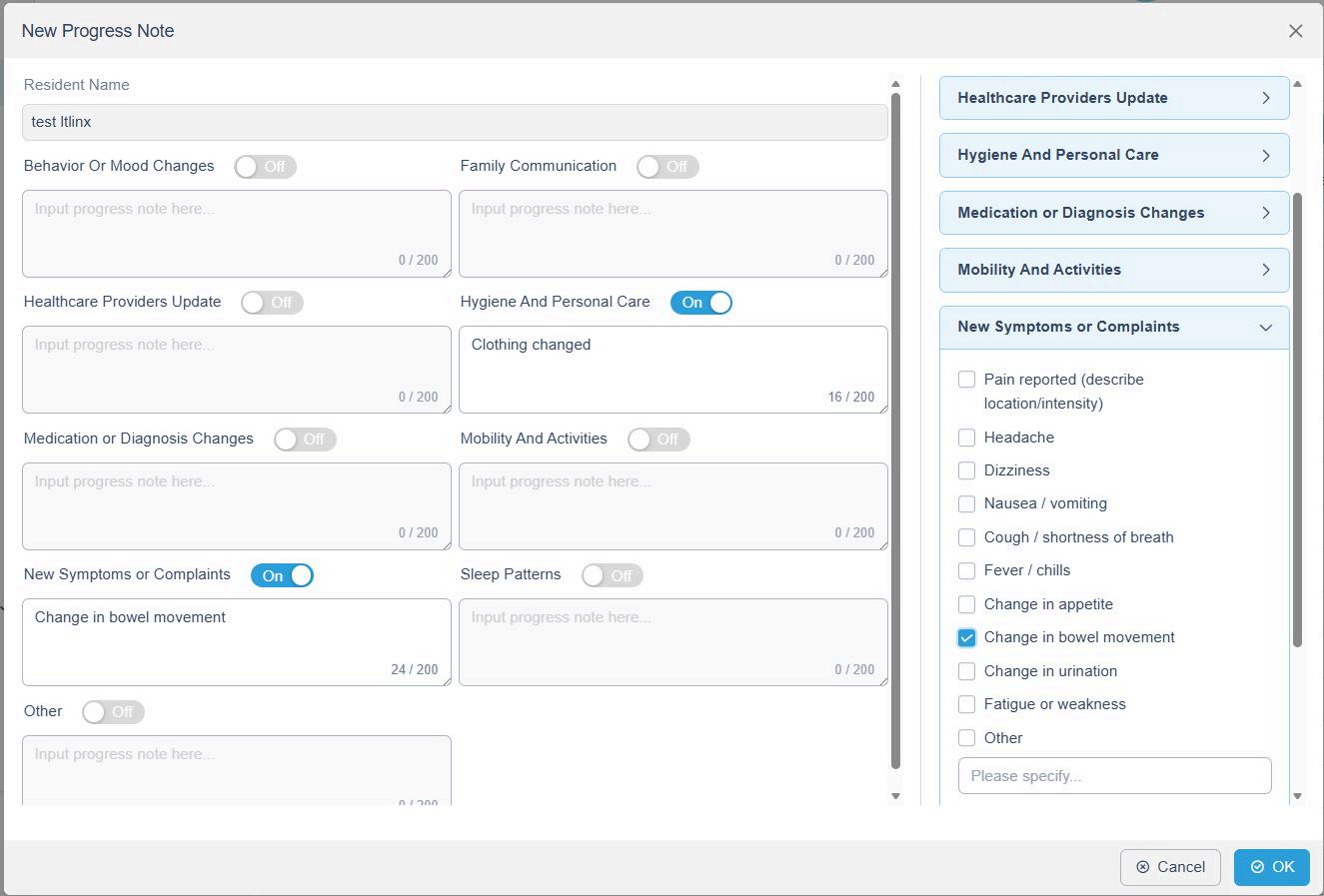
- Click + Create.
- Choose the resident and toggle the relevant note categories, such as:
- Behavior or Mood Changes
- Family Communication
- Healthcare Provider Updates
- Medication or Diagnosis Changes
- Mobility and Activities
- Hygiene and Personal Care
- New Symptoms or Complaints
- Sleep Patterns
- Other
- Input your note and click OK to save.
Example:
Family Communication: Spoke with daughter about upcoming medical appointment. Family appreciative of care updates.
7. First Responder Print
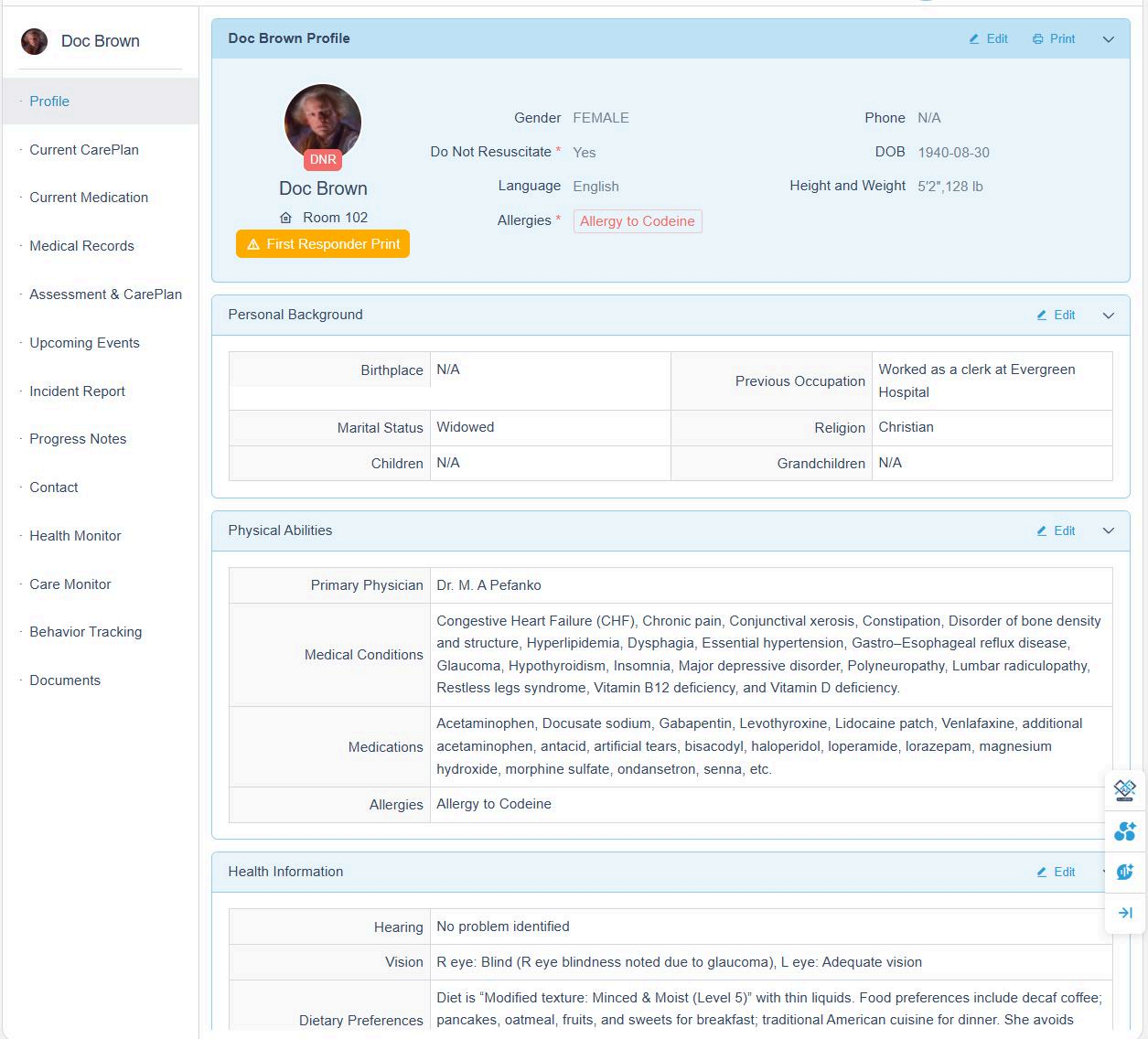
The First Responder Print feature allows you to quickly generate a comprehensive medical summary for emergency personnel.
How to Use
- Click the Print First Responder Print button to generate the First Responder report.
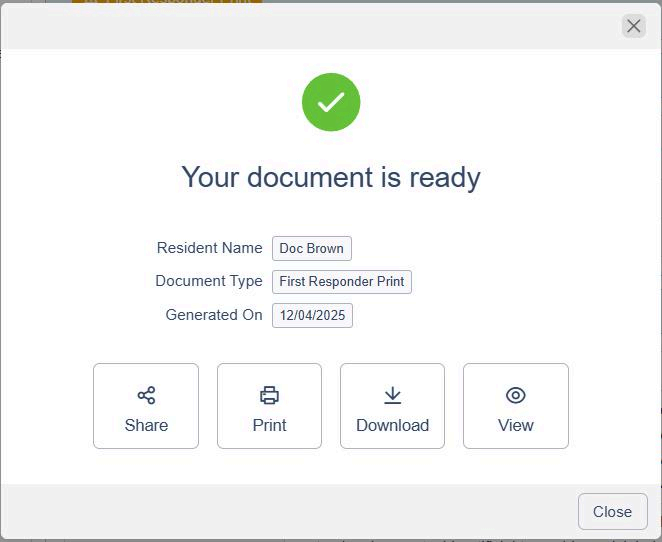
- After the report is generated, you will have four options:
- View — Preview the full report on screen and verify all information before sending or printing.
- Print — Print a physical copy for immediate use in emergency situations.
- Download — Save the report as a file for your records or digital storage.
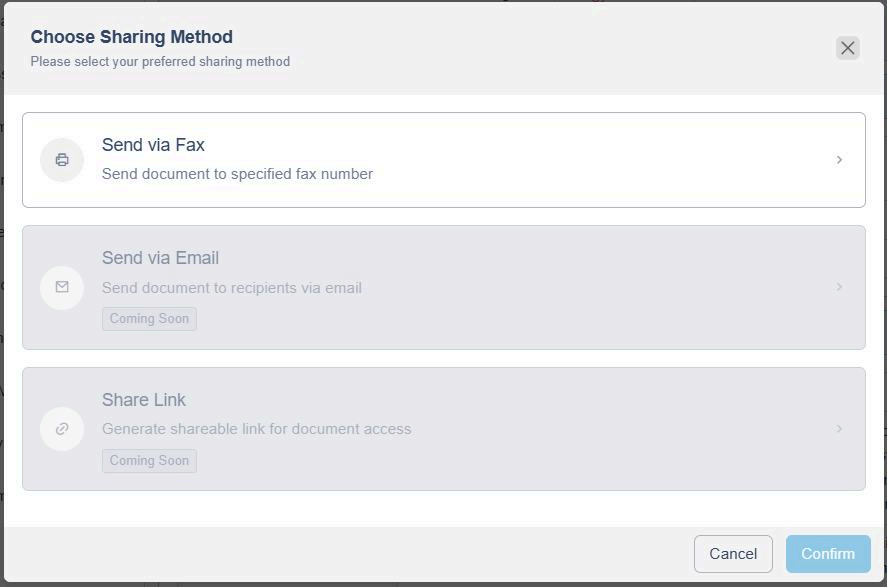
- Share — Send the report securely via encrypted eFax.
These options ensure you can verify, distribute, or store the report in whichever way best fits your workflow and the emergency context.
Screenshot Description:
- A dashboard or resident profile page with a prominent orange "First Responder Print" button, highlighted with a warning icon.
- Below the button, options appear post-generation: View (preview icon), Print (printer icon), Download (file icon), Share (eFax icon).
What's Included in the First Responder Report
The report provides essential health information, including:
- Basic Information
- Emergency Contacts
- Full Medication List
- Recent Medications Taken
- Current Vital Signs
- Health Information
- Physical Abilities & Medical Information
- Personal Background
- Cognitive & Emotional Health
- Personal Preferences
- Notes for Caregivers
This comprehensive summary helps emergency responders access accurate, up-to-date medical information instantly—ensuring better, faster care.